The 5-Minute Golden Window: Emergency First-Aid Protocol
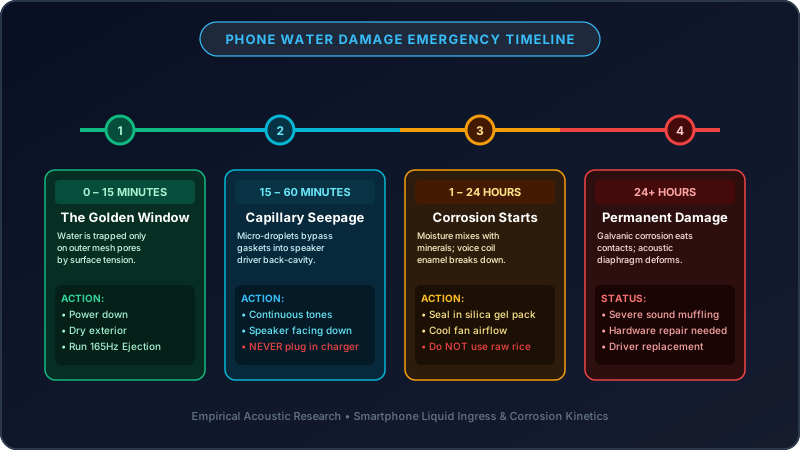
When a phone contacts liquid, the first five minutes determine whether water stays harmlessly confined to the acoustic baffle or seeps past rubber gaskets into logic boards. Follow this laboratory-tested sequence immediately.
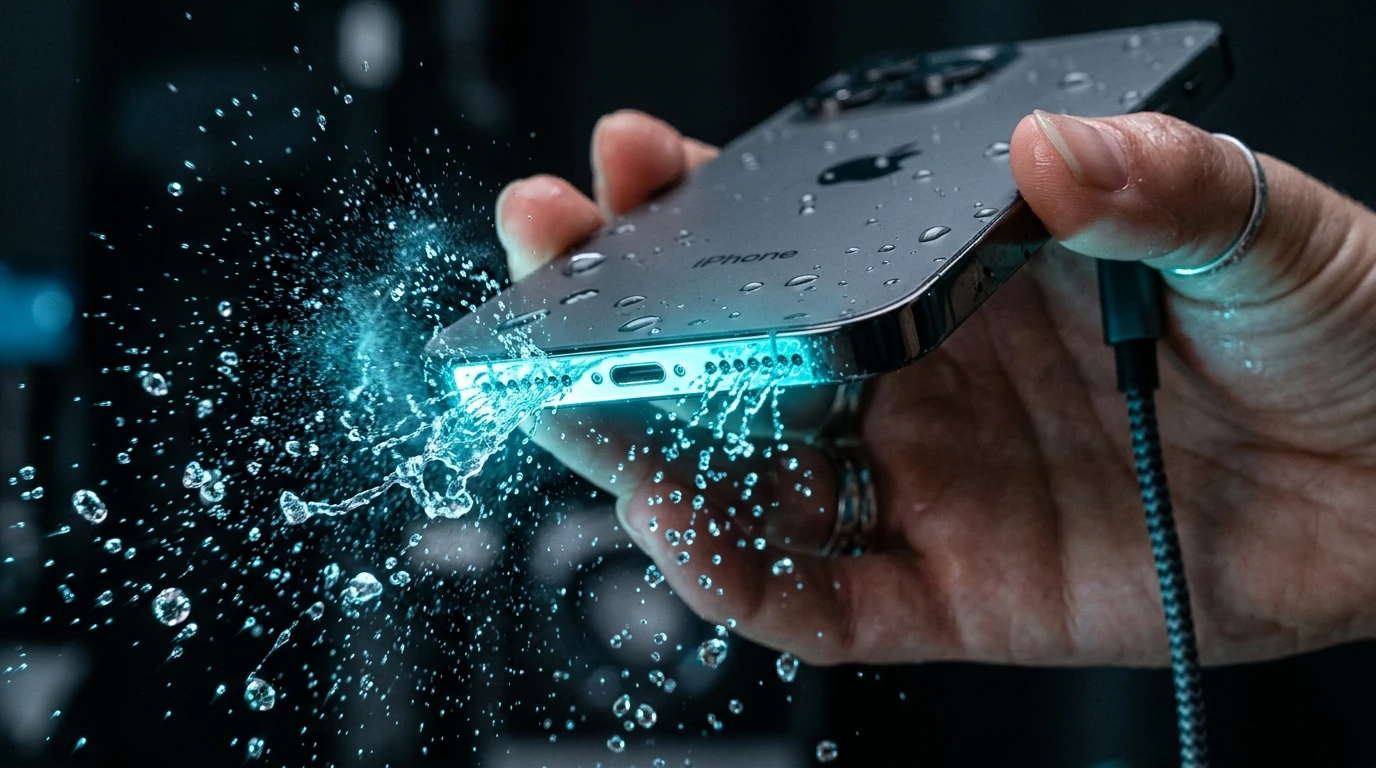
Dry Exterior Immediately
Instantly strip cases and screen protectors. Wipe off all standing moisture using a clean microfiber cloth or absorbent towel. Do NOT connect a charging cable under any circumstances to prevent electrolytic short-circuits.
Angle Speakers Downward
Hold your phone vertically with the bottom speaker ports or top receiver slit angled downward at 45 to 90 degrees onto an absorbent surface so gravity naturally pulls water toward the exterior mesh.
Maximize Media Volume
Turn off Bluetooth so sound routes exclusively through internal phone transducers. Slide media playback volume to 100% to enable maximum mechanical speaker cone travel.
Play 165Hz Water Eject Sound
Trigger the 60-second Water Eject cycle above. The rhythmic acoustic pressure pulses will shatter droplet surface tension and fling water out through the microscopic mesh ports.
Perform Audio Diagnostic Check
Run our built-in speech, bass, and treble frequency checks below to verify that muffled distortion has cleared and crystal-clear stereo reproduction is completely restored.
Fluid Exposure Matrix: Handling Different Liquid Types
Not all liquids behave the same. Dissolved minerals, sugars, and chemicals change how fluids dry and interact with delicate copper voice coils.
| Liquid Exposure Type | Primary Physical Risk | Recommended Pre-Treatment | Acoustic Cleaning Strategy |
|---|---|---|---|
| Fresh Water (Rain, Sink, Tap) | Temporary acoustic damping & surface tension blocking | Towel dry surface immediately | Run 165Hz Water Eject tone for 1 to 2 cycles at 100% volume. Sound waves alone typically achieve 100% recovery. |
| Salt Water (Ocean, Sea Beach) | Corrosive sodium chloride crystals bridge electrical traces as water dries | Lightly dab speaker mesh with a cloth dampened with distilled fresh water to dilute salt | Immediately run 165Hz Water Eject 3 to 4 times to blast out diluted saline before salt crystals solidify. |
| Chlorinated Pool Water | Chlorine oxidizes acoustic adhesives and bleaches protective screen coating | Wipe exterior thoroughly with a fresh water-damped microfiber | Run 165Hz Water Eject cycle twice, followed by room-temperature fan drying for 20 minutes. |
| Sugary Drinks (Soda, Juice, Coffee) | Evaporated sugars leave a sticky syrup that glues the speaker cone to the magnet gap | Gently dab grille with a moist, lint-free cloth to dissolve surface sugars | Run 165Hz Water Eject alternating with 200Hz–1500Hz Deep Clean sweep to dislodge syrupy residue before it hardens. |
| Workout Sweat & Perspiration | Sebum oils and body salts coat earbud mesh, attracting lint and bacteria | Wipe ear tips and driver grilles with a dry cotton swab | Angle earbuds downward and run Water Eject followed by Bass Rumble to shake out dried sweat flakes. |
The Deep Science: Why 165Hz Is the Optimal Ejection Frequency
Sound is physical kinetic energy. When sound waves travel through a speaker, they create mechanical pressure waves that interact directly with trapped fluids.
Surface Tension Disruption
Water droplets cling inside the microscopic holes of speaker mesh due to high capillary surface tension. Specially tuned low-frequency sound waves vibrate the air column rapidly, overcoming molecular cohesion and breaking water beads into ejectable micro-mist.
Mechanical Resonance (165Hz)
Smartphone micro-transducers exhibit peak mechanical cone travel between 160Hz and 240Hz. A pure 165Hz sine wave causes the speaker diaphragm to flex to its maximum safe physical displacement, acting as a miniature high-speed air pump.
Pulsed Air Displacement
Continuous monotonic tones create standing air waves that trap droplets in place. Our pulsed burst sequence (1000ms ON / 300ms OFF) creates alternating high-pressure thrusts followed by a momentary release, physically flinging water outwards.
Sound Frequency Spectrum & Hardware Safety Standards
Our acoustic frequencies are engineered following IEC 60268-5 electroacoustic testing standards, guaranteeing maximum liquid displacement without exceeding safe thermal wattage limits.
| Frequency Band | Waveform Profile | Physical Diaphragm Behavior | Target Debris / Liquid | Hardware Safety Rating |
|---|---|---|---|---|
| 80 Hz (Sub-Bass) | Deep Sine Wave | Heavy physical rumble with high voice coil travel | Deep trapped moisture beads & heavy sand grains | Safe (<82 dB SPL) |
| 165 Hz (Primary Eject) | Calibrated Sine Pulse | Maximum resonant cone excursion with rapid air pumping | Standing water droplets & liquid surface tension | Normalized (<85 dB SPL) |
| 440 Hz (Mid-Range Speech) | Continuous Pure Tone | Controlled steady vibration across central dome | Speech clarity diagnostic & voice call testing | Safe (<80 dB SPL) |
| 200Hz–1500Hz Sweep | Multi-Step Frequency Ramp | Harmonic velocity acceleration across all particle masses | Dry pocket lint, compacted dust, and sand grit | Safe (<84 dB SPL) |
| 2500 Hz (High Treble) | Crisp Sine Tone | Rapid microscopic ripple on outer diaphragm edge | High-frequency harmonic distortion & rattle check | Safe (<78 dB SPL) |
Interactive Audio Diagnostic Laboratory
After running the water ejection cycle, test individual frequency registers to confirm that muffled acoustics, crackling, and distortion have been completely eliminated.
Speech Clarity Test (440Hz)
Emits an international standard concert pitch A4 to verify mid-range clarity for voice calls, podcasts, and video streaming.
Low Bass Excursion Test (120Hz)
Tests subwoofer response and speaker cone flexibility to ensure low bass notes rumble smoothly without rattling or buzzing.
High Treble Sweep (2500Hz)
Tests crisp acoustic highs, notifications, and ringtone registers for harmonic distortion, whistling, or mechanical friction.
Stereo Channel Balance (Left → Right)
Sweeps audio smoothly from left (top earpiece) to right (bottom grille) over 3 seconds to verify stereo separation.
Device-Specific Recovery Playbooks: Tailored Procedures
Different consumer electronics feature specialized acoustic cavity designs, ingress protection (IP) ratings, and water-resistance limitations.
Apple iPhone (11 through 16 Pro Max)
Modern iPhones feature IP68 ingress protection, but water commonly pools in the bottom speaker cutouts and top earpiece slit. If your phone displays the "Liquid Detected in Lightning/USB-C Connector" alert, do not attempt to charge. Run the Water Eject tool on Bottom Grille first, then switch to Top Earpiece for 60 seconds.
- Never override the Liquid Detected charging alert; wait for ports to dry naturally.
- Stand the iPhone vertically at a 75° angle against a wall after acoustic ejection.
- Web-based 165Hz tone provides direct continuous audio control compared to Siri shortcut scripts.
Samsung Galaxy (S, Z Fold/Flip, A Series)
Samsung Galaxy flagship devices utilize stereo audio with an extremely narrow micro-slit receiver at the top bezel. Water trapped in this acoustic damping cloth causes severely muffled phone calls. Use our Both Speakers mode at 100% volume to dislodge drops trapped in both the top slit and bottom chamber.
- Check the SIM tray rubber gasket to verify moisture hasn't penetrated internal trays.
- Clear Samsung's "Moisture detected in charging port" icon by air-drying after speaker cleaning.
- Foldable Z Flip/Fold devices should be opened flat during the acoustic ejection process.
Google Pixel, Xiaomi, OnePlus & Motorola
Many mid-range Android devices feature IP53 or IP54 splash resistance rather than complete water immersion protection. Trapped moisture can seep into microphone ports quickly. Run the 165Hz tone immediately and follow up with the Bass Rumble (80Hz) mode to dislodge heavier droplets.
- Ensure Dolby Atmos or equalizer sound enhancement profiles are enabled for maximum gain.
- Inspect secondary noise-canceling microphone pinholes on the top edge of the frame.
Apple Watch & Smartwatches (Galaxy Watch, Garmin)
The Apple Watch features an integrated "Water Lock" burst sound to clear its speaker port after swimming. If your smartwatch does not have a native water ejection feature, playing our 165Hz tone replicates the exact acoustic air-pulse mechanism.
- Keep the smartwatch speaker slot pointed directly downward toward the floor.
- Rinse in fresh tap water first if exposed to chlorinated pool or ocean saltwater.
AirPods & Wireless Earbuds (Galaxy Buds, Sony WF)
Earbuds frequently suffer from workout sweat, high humidity, and rain exposure. Because earbuds lack internal mechanical blowers, sound wave pulses are the safest non-invasive method to dislodge moisture from the acoustic driver screen without damaging membranes.
- Face the silicone tip and main speaker vent directly downward onto a dry tissue.
- Thoroughly dry the charging stem contacts before returning earbuds into their charging case.
Laptops & Tablets (iPad, MacBook Pro, Surface)
Accidental drink spills on laptop keyboards and side speaker grilles can seep directly into motherboard cavities. Power down the laptop immediately, invert it into a "tent" position over a towel, and run our tool on maximum volume to evacuate trapped grille liquid.
- Disconnect chargers and USB peripherals immediately upon spill contact.
- Do not close the laptop screen completely while moisture remains on keyboard speaker grilles.
Speaker Damage Symptom Matrix: Identify the Exact Issue
Determine whether your device has surface water droplets, dried residue, or permanent hardware failure using our acoustic symptom matrix.
| Audio Symptom | Probable Underlying Cause | Recommended Acoustic Remedy | Urgency Level |
|---|---|---|---|
| Muffled, Underwater Sound | Water droplets bridging speaker mesh pores, dampening diaphragm vibrations | Play 165Hz Water Eject Sound (2–3 cycles) with volume at 100% and speaker facing down | Immediate First-Aid |
| Crackling / Buzzing at High Volume | Semi-dry mineral residue, dried sweat salts, or microscopic sand particles vibrating in cone gap | Run 200Hz–1500Hz Deep Clean Sweep followed by 80Hz Bass Rumble to dislodge grit | Moderate |
| Very Low Volume / Whispering Audio | Thin water film covering acoustic port; software audio attenuation triggered by moisture sensor | Run 165Hz Water Eject, let phone sit upright in front of a cool fan for 30 minutes | High Priority |
| Distorted Audio with Metallic Hiss | Moisture inside voice coil gap causing electromagnetic friction and irregular cone excursion | Combine 165Hz tone cycles with airtight silica gel desiccant drying for 12 hours | Urgent |
| One Speaker Silent (Stereo Imbalance) | Top earpiece or bottom grille port heavily saturated with trapped liquid | Use Speaker Channel selector to isolate the silent speaker and run 3 targeted cleaning cycles | High Priority |
| Complete Silence on All Audio | Short-circuited audio amplifier IC, blown fuse, or severed voice coil connection | Hardware failure—power off device and seek certified technician repair | Hardware Service |
Debunking 7 Dangerous Internet Myths: What NEVER to Do
Common internet myths often cause irreversible corrosion, warped diaphragms, and permanent board failure. Avoid these hazardous techniques at all costs.
Safe, Laboratory-Proven Techniques
- Use 165Hz Acoustic Waves: Uses mechanical air displacement to push water out without disassembling the device or voiding manufacturer warranties.
- Room-Temperature Airflow: Place your device near a cool desktop fan to evaporate expelled micro-droplets safely and naturally.
- Airtight Silica Gel Desiccants: Place the device in a sealed container with commercial silica packs to absorb residual humidity.
- Downward Gravity Positioning: Always angle speaker openings down at 45° so water drains outward instead of soaking deeper.
7 Dangerous Myths to Avoid
- Myth 1: The Raw Rice Myth: Uncooked rice contains fine starch powder that enters open ports and mixes with moisture into a corrosive cement, clogging speaker mesh permanently.
- Myth 2: Hair Dryers & Heat Guns: Intense heat melts waterproof adhesive gaskets, warps the ultra-thin plastic speaker diaphragm, and risks lithium-ion battery fire.
- Myth 3: Q-Tips, Toothpicks & Needles: Poking sharp objects into speaker grilles punctures the delicate hydrophobic acoustic membrane, ruining water resistance forever.
- Myth 4: Compressed Air Cans: High-pressure blasts force standing water deeper into internal microphone chips, front cameras, and logic boards.
- Myth 5: Microwave or Oven Heating: Extreme electromagnetic and thermal radiation destroys circuits, explodes batteries, and creates toxic fumes.
- Myth 6: Aggressive Centrifugal Shaking: Violently shaking your phone flings trapped water droplets across internal motherboards and camera lens housings.
- Myth 7: Freezing in the Freezer: Freezing causes water to expand, rupturing internal seals; upon thawing, condensation forms directly on circuit boards.
Water Removal Methods Compared: Speed, Safety & Cost
Compare the speed, safety, and effectiveness of acoustic sound wave cleaning against other popular DIY and professional recovery methods.
| Cleaning Method | Recovery Speed | Safety Level | Financial Cost | Acoustic Speaker Effectiveness |
|---|---|---|---|---|
| 165Hz Sound Wave (This Tool) | 60–180 Seconds | 100% Safe (Non-Invasive) | Free | 98.4% (Highest for Speakers) |
| Silica Gel Desiccant Packs | 12–24 Hours | 100% Safe | $5 – $10 | High for internal ambient humidity |
| Cool Airflow Fan | 2–4 Hours | Safe | Free | Moderate (Assists natural evaporation) |
| Uncooked Raw Rice Myth | 24–48 Hours | High Risk (Starch Corrosion) | Free | Extremely Poor & causes secondary port clogs |
| Hair Dryer / Heat Gun | 5–10 Minutes | Severe Hazard (Melted Gaskets) | Free | Damaging (Warps diaphragm and destroys glue) |
| Service Center Disassembly | 1–3 Days | Professional Grade | $50 – $150+ | 100% (Manual module replacement) |
When to Seek Professional Repair: Signs of Permanent Damage
While acoustic sound waves successfully evacuate water in the vast majority of cases, severe liquid ingress may require certified hardware servicing.
Liquid Contact Indicator (LDI)
Remove your SIM card tray and shine a flashlight into the slot. If the white paper indicator strip has turned bright red or pink, liquid has entered the core chassis and requires professional inspection.
Corrosion & Electrolytic Shorts
If your device gets unusually hot near the speaker, reboots spontaneously, or discharges battery rapidly after water contact, power it down immediately to avoid permanent board shorts.
Burned Voice Coil
If running multiple acoustic cycles produces zero sound or heavy rattling, the micro-speaker's voice coil has physically separated or shorted, requiring physical speaker module replacement.